Most room failures trace back to design and management decisions, not to the hardware sitting on the wall.
Teams Rooms succeed or fail on planning and ongoing management, not on the price of the display.
Room dimensions, seating, and acoustics should drive hardware selection. Buying first and measuring later is how rooms end up unusable.
Licensing decides whether IT can manage rooms remotely at scale or has to walk to each one.
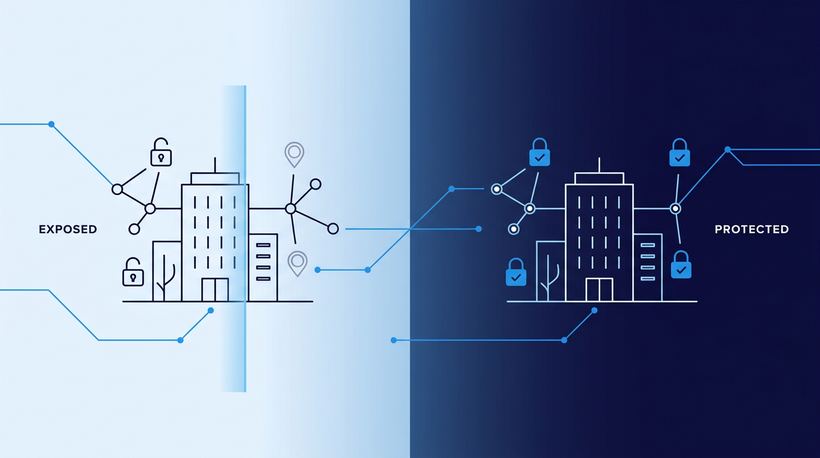
A room console is an always-on, unattended endpoint with a mailbox attached. It belongs in your asset inventory and your security controls.
Adoption lives or dies on one-touch join. If starting a meeting takes more than a tap, people revert to laptops.
Standardize on a small number of proven room designs, then manage every room as a monitored endpoint from the day it goes live.
Walk through most conference rooms in a Michigan manufacturing plant or a regional health system and the pattern repeats: a wall-mounted display, a drawer of adapters, and someone's laptop propped open at the head of the table doing the work of a room system. The remote attendees hear keyboard clatter and see the back of three heads. Nobody calls this a failure. Everyone just plans around it.
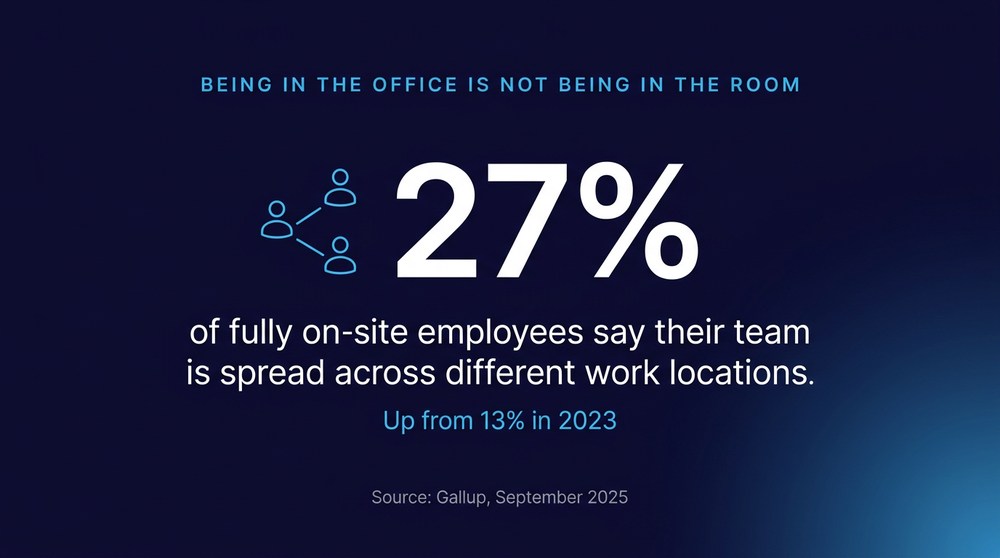
That workaround is getting more expensive, because the meetings are no longer optional. Gallup's September 2025 analysis of remote-capable workers found that 27 percent of fully on-site employees say their team is spread across different work locations, up from 13 percent in 2023. Being in the office no longer means being in the room with your colleagues. Microsoft Teams Rooms closes that gap, but only when the room, the hardware, the licensing, and the management model are designed together. Treat it as a purchase instead of a deployment and you get expensive furniture.
What Makes Microsoft Teams Rooms Different From a Conference Room TV?
A Teams Room is a dedicated, certified system with its own identity in your tenant, not a display someone plugs into. It has a resource account, a calendar, a touch console, purpose-built cameras and audio, and a management path that IT controls centrally.
That distinction matters more than it sounds. A bring-your-own-device room depends on whoever walks in first: their laptop, their cable, their audio settings, their patience. A certified room behaves identically every time, and it can be monitored, updated, and locked down from a console instead of a ladder. The room becomes infrastructure rather than a shared accessory.
It also changes who owns the outcome. When rooms are ad hoc, nobody owns them. When they are managed systems, the same team that owns endpoints and identity owns the meeting experience too, which is exactly where it belongs alongside Microsoft Teams Phone and voice services.
How Do You Plan a Teams Rooms Deployment That Actually Gets Used?
Start with the room, not the catalog. Measure the space, count the seats, note where the windows and the door are, and listen for the HVAC. Hardware selection is a consequence of those facts, and a Teams Rooms deployment that skips them produces rooms where the far end cannot hear the person at the end of the table.
Acoustics deserve more attention than they get. Hard walls, glass partitions, and long tables defeat good microphones. A modest room with treated surfaces and a properly placed mic outperforms a large room with expensive equipment and a slapback echo.
Focus or huddle (2 to 4). Single all-in-one bar, integrated mic and speaker — overspending on gear the room cannot use.
Standard conference (5 to 10). Front-of-room camera, separate mic coverage, touch console — far-end participants cannot hear the far side of the table.
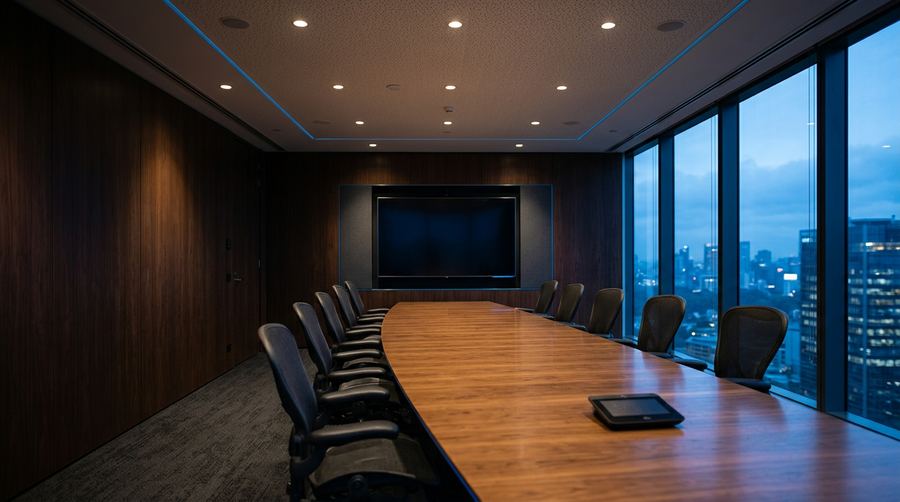
Large conference or boardroom (11 to 20). Dual displays, extended mic array, speaker tracking — remote attendees lose faces and context entirely.
Training or plant-floor briefing (20 or more). Ceiling or extended mic coverage, wider camera framing, ambient noise handling — background noise makes the room unusable during production hours.
Then standardize. Certified Teams Room solutions come in tiers matched to space size, and three designs deployed consistently across every site beat eleven bespoke configurations. Support, training, spare parts, and user muscle memory all get simpler. Multi-site organizations across the Great Lakes feel this immediately: a technician who knows one room knows all of them.
Run the arithmetic on the status quo before you approve a budget. Twelve rooms, four meetings per room per day, five minutes lost at the start of each one comes to four hours of paid time per day and roughly 1,000 hours a year, spent hunting for the right cable. Those figures are illustrative, so substitute your own room count and hourly rates. The number is rarely small, and it is already being spent.

5 Mistakes That Undermine Meeting Room Projects
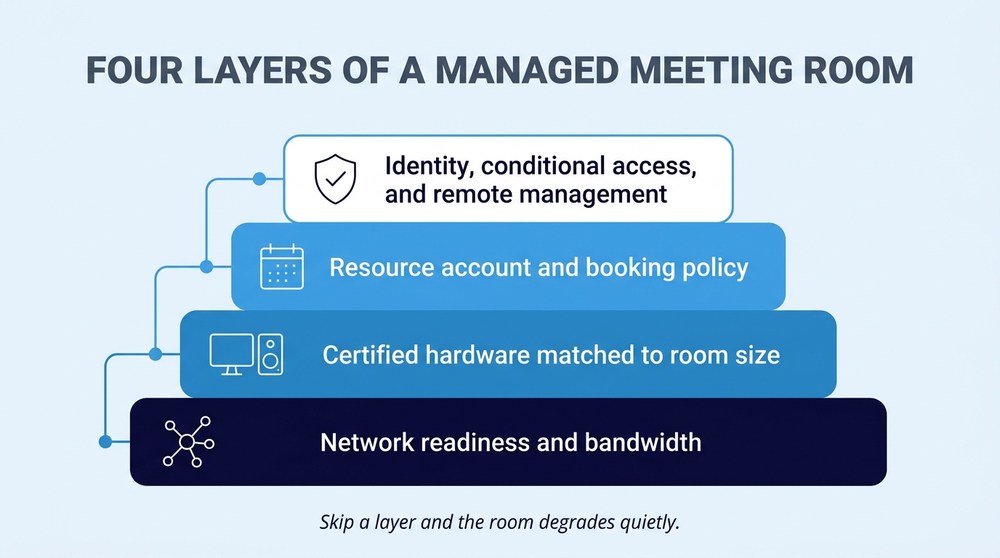
Buying hardware before assessing the network. Rooms need reliable wired connectivity, sufficient bandwidth, and quality-of-service treatment for real-time media. A room on a saturated VLAN will stutter no matter what camera is bolted to the wall.
Skipping resource account hygiene. Every room needs a properly configured mailbox with sane booking policies. Get this wrong and rooms accept conflicting bookings or refuse invitations silently.
Ignoring the display and cabling plan. Mount height, viewing distance, and content-sharing paths determine whether anyone can read a spreadsheet from the far end.
Leaving rooms out of the security model. An unattended console with a persistent sign-in and network access is an endpoint. Treat it like one, with layered endpoint and network protection applied deliberately.
Declaring victory at go-live. Firmware ages, certificates expire, cameras drift, and the console that worked in March fails in October. Rooms without an owner degrade quietly.
What Does Ongoing Management of Microsoft Teams Rooms Require?
It requires the right license tier and a named owner. Microsoft's Teams Rooms licensing documentation is explicit about the split: the Basic license covers core meeting functions on a certified system with basic management, capped at 25 rooms per tenant, while the Pro license adds remote device management, conditional access policies, and detailed device analytics.
Scheduling, join, content sharing, whiteboard. Teams Rooms Basic: Yes. Teams Rooms Pro: Yes.
Device limit per tenant. Teams Rooms Basic: Up to 25 rooms. Teams Rooms Pro: No 25-room cap.
Remote device management. Teams Rooms Basic: Basic only. Teams Rooms Pro: Yes.
Conditional access policy support. Teams Rooms Basic: Not included. Teams Rooms Pro: Yes.
Device analytics and reporting. Teams Rooms Basic: Not included. Teams Rooms Pro: Yes.
Teams Panels licensing. Teams Rooms Basic: Not supported. Teams Rooms Pro: Supported.
Read that comparison as an operations decision rather than a budget line. Without remote management and analytics, every firmware update, failed peripheral, and offline console becomes a truck roll or a ticket that starts with "the room is broken again." Folding rooms into the same monitoring and patching discipline as the rest of the fleet, whether that sits with internal staff or a co-managed IT support model, is what keeps hybrid workplace technology from decaying into shelfware.
How Should Regulated Industries Secure Meeting Rooms?
By treating each room as an inventoried, controlled asset with a documented owner. CISA's Cross-Sector Cybersecurity Performance Goals, updated to version 2.0 in December 2025 and aligned to the NIST Cybersecurity Framework 2.0, place asset inventory in the foundational Identify function. Microsoft meeting rooms hold a mailbox, sit on the network, and stay signed in around the clock, which qualifies them whether or not anyone logged them.
Healthcare organizations have a sharper version of this problem. Clinical conversations happen in conference rooms, and the proposed HIPAA Security Rule update published by HHS would require regulated entities to maintain a written technology asset inventory and a network map showing how electronic protected health information moves through their systems. That proposal is still pending, but the direction is unambiguous, and a room console that nobody has documented is exactly the gap an auditor finds. Room placement, screen visibility from hallways, and recording policies belong in the same conversation as HIPAA-aligned technology operations.
Manufacturers in the defense supply chain face the parallel question. If controlled unclassified information gets discussed, shared, or recorded in a room, that room sits inside the scope you will eventually have to defend under the Defense Department's CMMC program. Scoping decisions are far cheaper to make before deployment than after an assessor asks where the meeting recordings live. Plants across Michigan's manufacturing corridor are working through this now, usually one conference room at a time.
One control question is newer and gets skipped almost universally: transcription and AI meeting recap. A room that records, transcribes, and summarizes by default produces a durable written record of whatever was said in it, and that record inherits the sensitivity of the conversation. Decide before deployment which rooms permit recording, who can start it, where transcripts land, and how long they are retained. Adopting AI in meeting spaces safely is a governance exercise first and a feature exercise second.
Frequently Asked Questions
What hardware do you need for Microsoft Teams Rooms?
A certified system, which means a compute module or Android-based bar, a touch console, and certified camera and audio components matched to the room size. Certification matters because it guarantees the device is supported and manageable within Teams.
Does every room need a Pro license?
No. Basic covers core meeting experiences on up to 25 rooms, per Microsoft's licensing documentation. Pro becomes necessary above that count, when Teams Panels are in play, or when remote management, conditional access, and analytics are required, which is most environments past a handful of rooms.
Can a Teams Room join meetings hosted on other platforms?
Many certified Windows-based systems support joining third-party meetings directly from the console, though support varies by device model and platform. Confirm this against your specific hardware before promising it to executives who live in other people's meetings.
How long does a deployment take?
It depends on network readiness, resource account configuration, and hardware lead times far more than on installation labor. The install is a day. The prerequisites are where schedules slip.
Who should own the rooms after go-live?
The same team that owns endpoints and identity. Rooms without a named owner drift out of compliance and out of service.
See the Room Before You Commit to It
This is one of the few technology investments where a thirty-minute demonstration answers questions that six weeks of specification comparison cannot. Sit in the room. Listen to the audio from the far end. Push the join button.
Centaris is an IT and cybersecurity partner that designs, deploys, and manages Microsoft Teams Rooms environments for manufacturers, healthcare organizations, and other regulated businesses across Michigan and the Great Lakes, covering licensing, voice, room design, and ongoing management as one integrated stack. Centaris maintains a demo space where teams can experience certified Teams Rooms and Yealink hardware running in real rooms before a single purchase order is signed. Start with an assessment of the spaces you already have. Schedule a no-obligation assessment and find out which rooms are worth upgrading and which ones are fine as they are.